Updating Docs
ABC Documentation is hosted on ReadTheDocs. You can find all the source code under the docs directory. It’s written with the rST language
There are 2 ways to modify the docs
1. Directly on Github
You can navigate to the docs folder in github and directly edit files or add new files. Github has a preview tab that you can utilize to see how your changes would look like for that page. Note that the table of contents sidebar doesn’t work well in Github Preview.
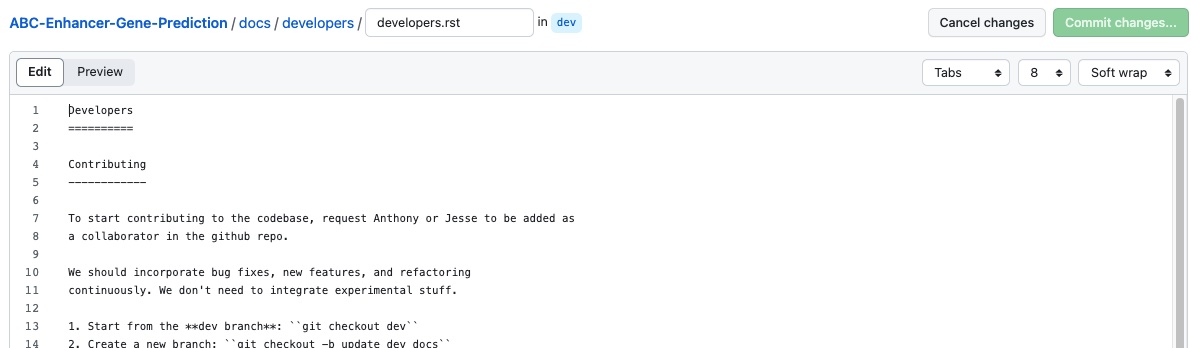
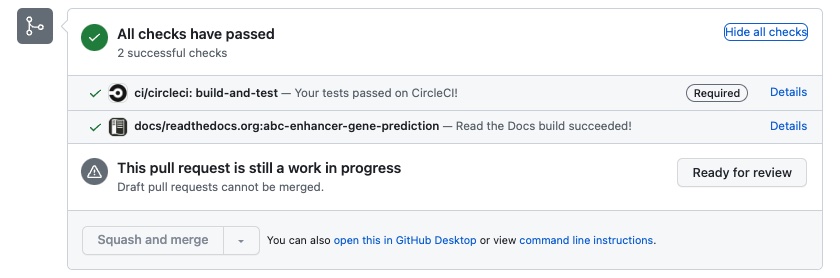
To get a full preview in the ReadTheDocs format, you’ll need to commit your changes and publish a PR (Pull Request). In the PR, click on the Details section of the ReadTheDocs build.
2. Modify Locally
If you need to add images, videos, or make a lot of changes to different files, modifying the code locally will be the better choice.
Checkout the latest version of the dev branch
Modify/add docs under the docs directory
Preview your changes by running make html in the docs directory. Your built html files can be found under docs/_build/html. Open up index.html or any other html file
Note: Make sure you’re using the abc-env conda environment to avoid compilation errors.
Push your code to github and make a PR